How To Sell On Inkedjoy
by Michael Essek · Updated: July 28, 2026Welcome to How To Sell On Inkedjoy – my complete beginner’s guide to selling print-on-demand products with Inkedjoy.
Whether you’re brand new to Inkedjoy – or already using it and looking to get more from it – there’s something here for you.
I’ll explain how Inkedjoy works, where it fits in the POD landscape, and walk you through creating your first product and placing a sample order.
So let’s dive in!

Contents
What Is Inkedjoy?
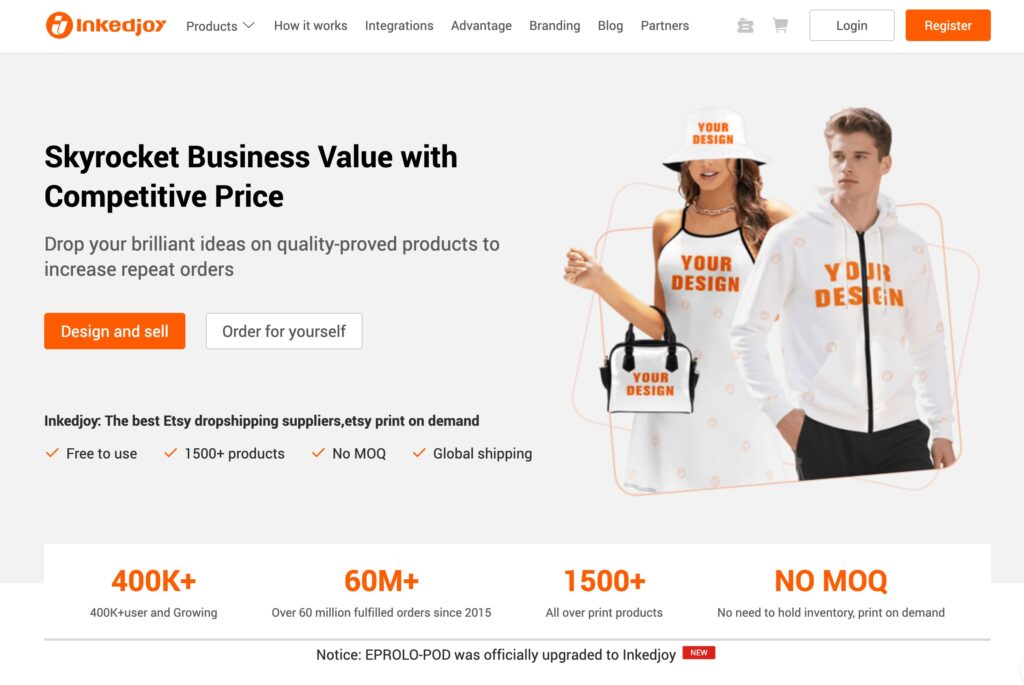
Inkedjoy is a print-on-demand platform built around two things: a huge product catalog and factory-direct pricing. Inkedjoy has low base costs, a catalog of 1,500+ products, and a strong focus on all-over printing.
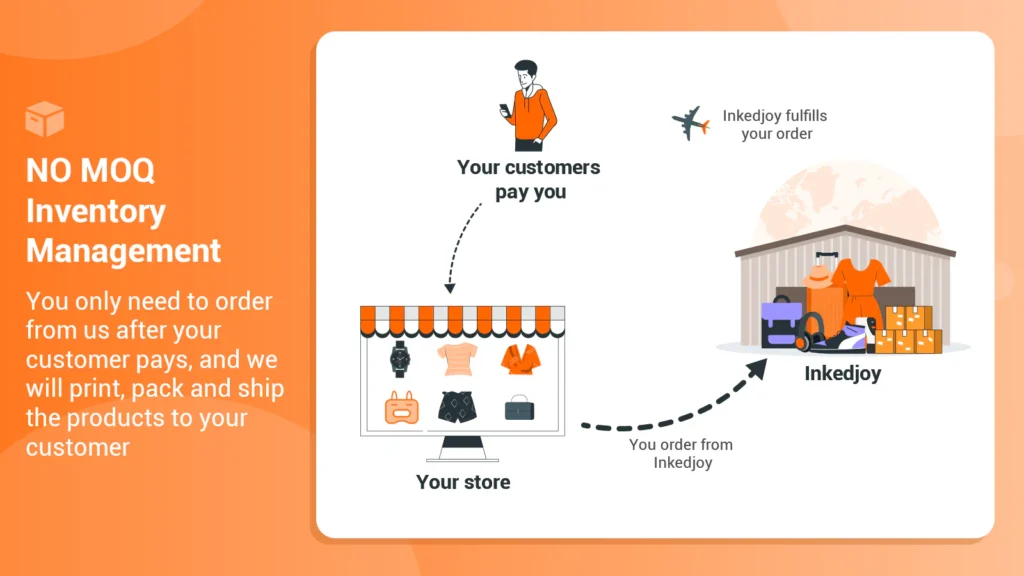
Upload your artwork, connect your store, and Inkedjoy handles the printing, packing and shipping once orders come in. There’s no inventory, no upfront cost, and no minimum order.
It’s completely free to get started. You can sign up by clicking the button below: (affiliate link)
Sign Up For InkedjoyIs Inkedjoy Good For Sellers?
It depends what you’re selling – but Inkedjoy does a few things unusually well. Here’s what stands out:
All-Over Print Done Properly
This is Inkedjoy’s strongest card. Rather than the small centred prints most POD platforms limit you to, Inkedjoy uses a cut-and-sew process with sublimation – so your artwork runs edge to edge and across seams, on hoodies, bags, pillows and more. Because the ink bonds into the fabric, it won’t crack or peel the way a transfer eventually does. If your designs are pattern-led, this is the reason to try them.
A Massive, Gifting-Focused Catalog
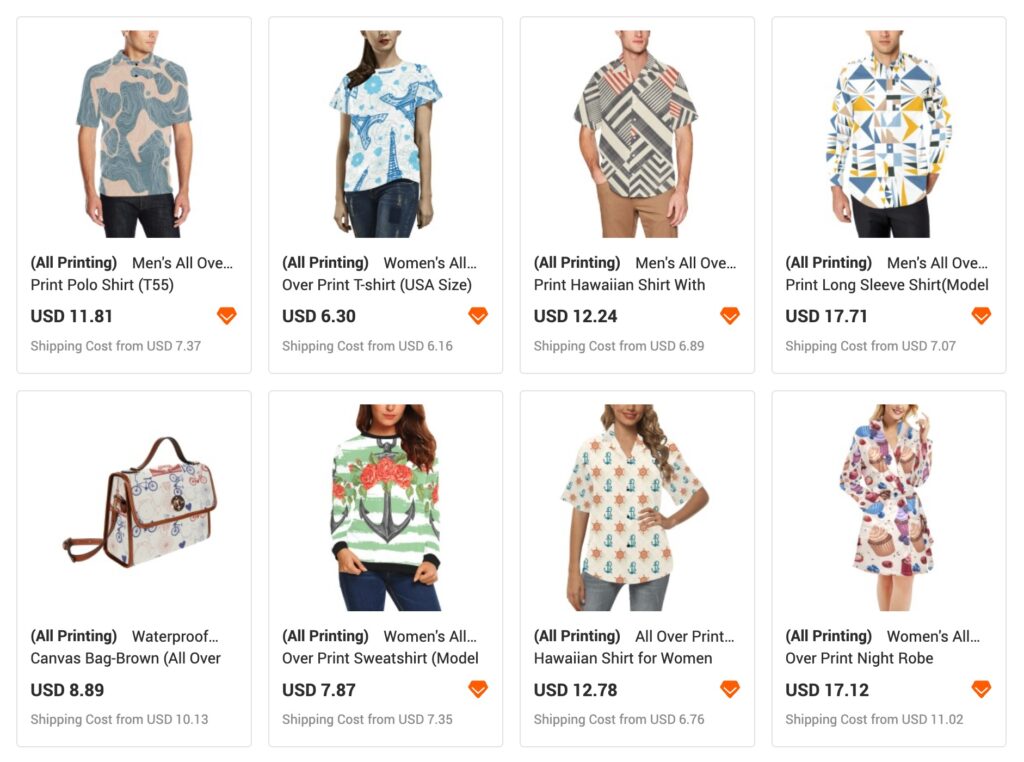
With 1,500+ products spanning apparel, home décor, pet supplies and novelty gifting items, Inkedjoy gives you room to move beyond t-shirts. If you sell into the gifting market, the range is a genuine advantage – though if you’re building a tight apparel brand, a lot of it will be noise.
Low Costs & No Minimums
Because Inkedjoy works directly with the factories, base costs undercut most of the well-known providers, with volume discounts as you scale. There’s no setup fee, no minimum order, and the core platform is free – you only pay per order and keep whatever margin you build on top.
Optional Custom Branding
Inkedjoy offers custom labels, hang tags, branded packing bags and gift cards with no minimum. This sits behind a subscription – Branding Lite at $19.90/year or Branding Pro at $99/year, with material costs billed per order on top – but compared to the $24.99 a month that a provider like Printful charges, it’s a low barrier to a more professional, branded product. (Note: currently open to clothing sellers only.)
The honest trade-off is shipping. With most of the catalog produced in China, typical delivery runs 7-15 days (express to the US and UK is quicker, around 5-8 days). Production is fast, but delivery isn’t Printful territory – so check the fulfilment location on each product and set customer expectations accordingly.
How Much Do You Make on Inkedjoy?
With Inkedjoy you set your own retail prices and keep the margin above your production and shipping costs. Low base costs mean there’s often healthy room to work with.
How it works: when a customer buys from your store, they pay you at full retail. Inkedjoy then bills you the product and shipping cost to fulfil that order, and you keep the difference.
Pricing Tips:
- Always factor shipping in first – a low base cost can be partly eaten by a longer, pricier delivery, so work from the all-in figure
- Lean into AOP for margin – fully-printed, cut-and-sew products feel premium and support higher prices than a basic printed tee
- Test freely – with no minimums, you can trial lots of products and keep only what sells
Note: base costs and shipping are shown per product on the Inkedjoy product page, and vary by fulfilment location – so check both before you set your retail price.
Getting Started with Inkedjoy: Step-by-Step Guide
Now you know what Inkedjoy is and where it fits – let’s walk through getting set up and placing your first order.
Let’s go!
1. Setting Up Your Inkedjoy Account
Getting started is quick and free:
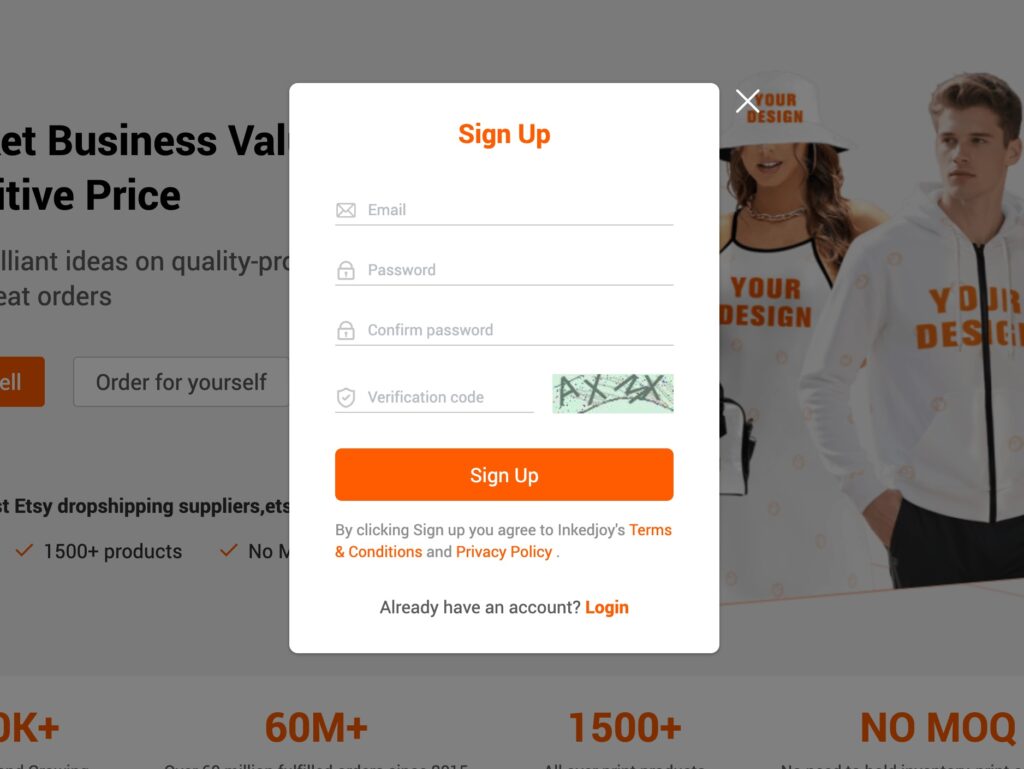
- Sign Up: Click here to create your free account – no card required:
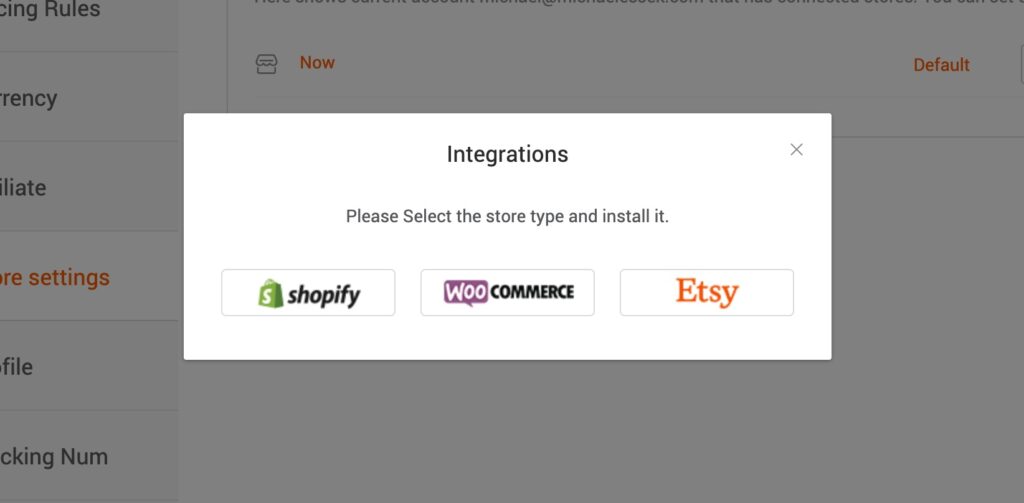
2. Connect Your Store: Inkedjoy integrates with Shopify, Etsy and WooCommerce. Link your store now if you have one – orders will then sync automatically once you’re live. (You can skip this and add it later if you’re just exploring.)
3. That’s it – you’ll land on your Inkedjoy dashboard, ready to start designing.
2. Creating Your First Product
With your account ready, it’s time to build your first product.
Step 1: Browse the Catalog
From your dashboard, browse the catalog to choose your product. With 1,500+ options it pays to use the category filters. If you want to make the most of what Inkedjoy does best, look for the all-over-print products rather than standard printed apparel.
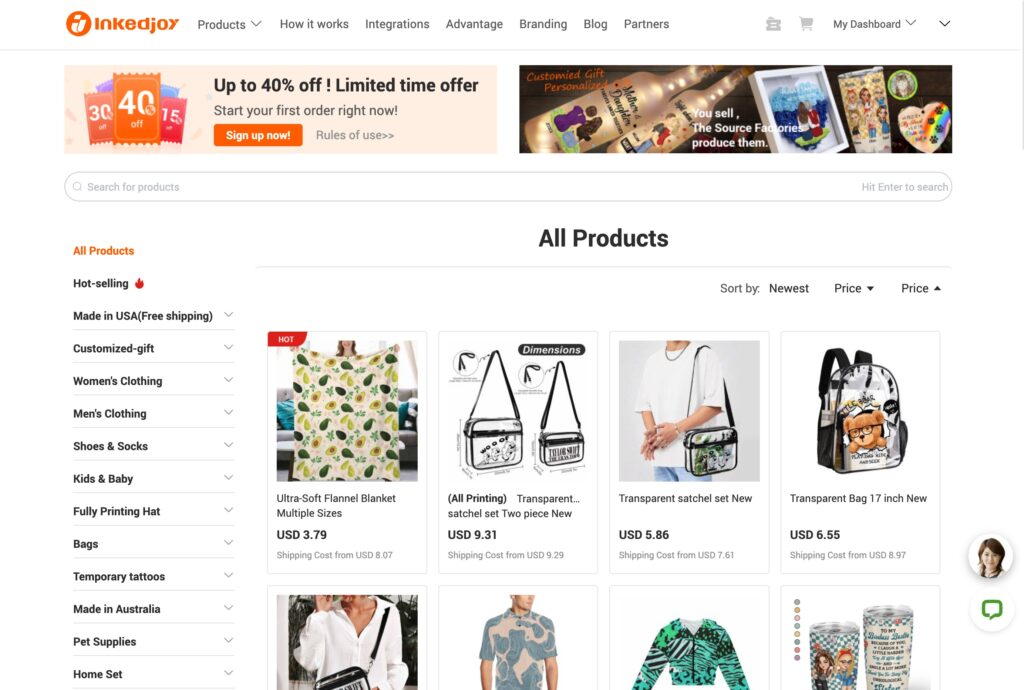
Pro Tip: Before you commit to a product, check its fulfilment location and shipping cost on the product page. Items produced closer to your customers will arrive faster and often cheaper – a key consideration given Inkedjoy’s China-weighted production.
Step 2: Add Your Design
Open your chosen product in the design tool and choose ‘Design and Sell For Your Business‘.
Upload your artwork. For all-over-print items you’ll be working across the whole product, so a high-resolution file that fills the print area is essential.
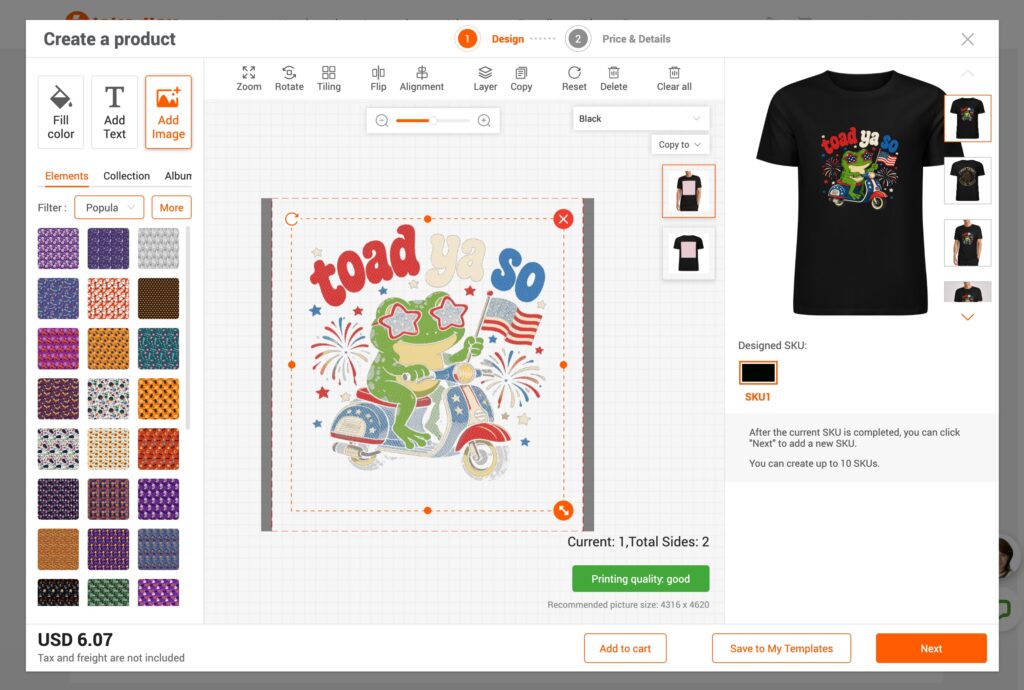
- Upload your artwork (high resolution, 300 DPI recommended)
- Position and scale it within the print area
- For AOP, make sure your design fills the full area with no unwanted gaps at the edges
- Preview the generated mockup before saving
Bulk Design: If you’re listing at volume, Inkedjoy’s bulk design tool lets you apply artwork across multiple products at once – a real time-saver once you’re up and running.
Step 3: Set Your Details & Publish
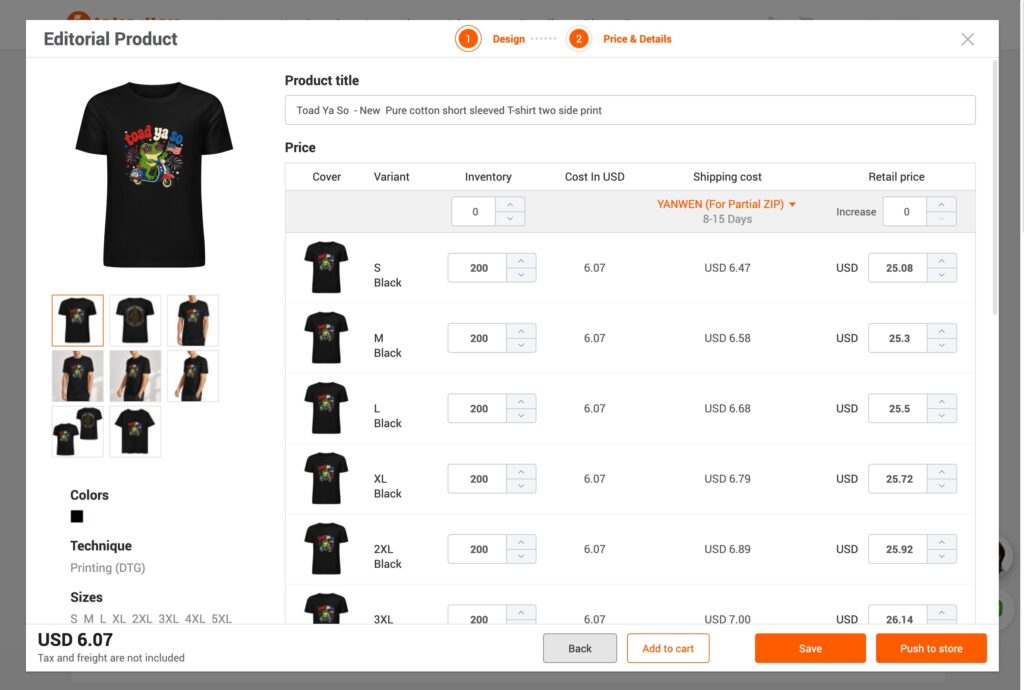
Add your product name, description and retail price, then save it, publish it to your connected store. Remember to price from your all-in cost (product + shipping), not just the base figure.
3. Ordering a Sample to Test Quality
Before you promote anything, I strongly recommend ordering a sample. With no minimum order, you can buy a single unit at base cost to check it for yourself. Here’s why it matters:
- Verify print quality: see how your design actually reproduces – especially important for detailed AOP artwork
- Check the product itself: across a catalog this large, quality varies more between lines than on a tightly curated platform
- Test the shipping: time your own sample so you know what your customers will actually experience
- Create content: real photos of your products beat stock mockups every time
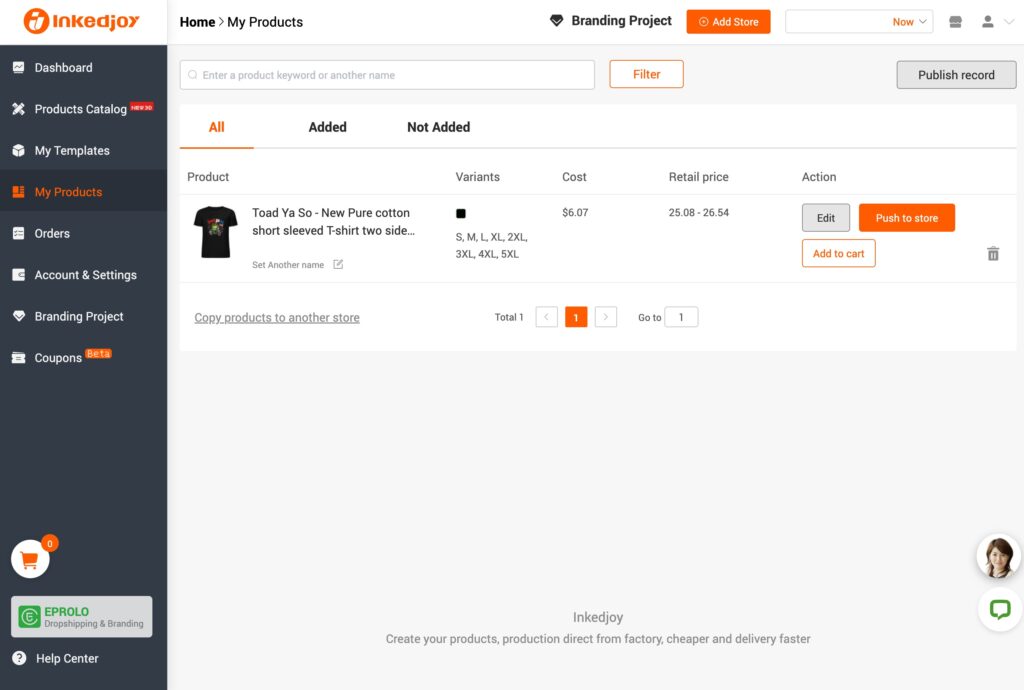
To order, head to your ‘My Products‘ page and choose ‘Add to Cart‘.
Choose the variant you want, and place the order through Inkedjoy – selecting your shipping method and paying the product and shipping cost (Remember to check for possible coupon codes). Once it ships, your tracking number updates automatically.
Congratulations – you just placed your first Inkedjoy order! You can track its progress from your Orders page.
Final Thoughts
Inkedjoy is a strong, good-value option – particularly if you’re doing all-over print or pattern-led designs, selling into the gifting market, or working to margins where the base cost saving genuinely matters.
Start with a couple of products, sample them before you promote, keep an eye on fulfilment locations, and price from your all-in cost. If you haven’t already, sign up and start building:
Start Selling On InkedjoyHave questions about getting started with Inkedjoy? Leave a comment below and I’ll do my best to help!