![How To Sell On Fourthwall [And Get $20 Sample Credit For FREE]](https://www.michaelessek.com/wp-content/uploads/2023/08/xnew-logo-michael-essek.png.pagespeed.ic.-sADxK0Dgy.png)
How To Sell On Fourthwall [And Get $20 Sample Credit For FREE]
by Michael Essek · Updated: November 7, 2025Welcome to How To Sell On Fourthwall – my complete beginner’s guide to selling your products on Fourthwall.
If you’re just getting started with Fourthwall – or if you’re already using Fourthwall, but looking to grow your store – this guide has something useful for you.
I’ll explain how Fourthwall works, why it’s a great all-in-one platform for creators, and walk you through placing your first sample orders.
So let’s dive in!
What Is Fourthwall?
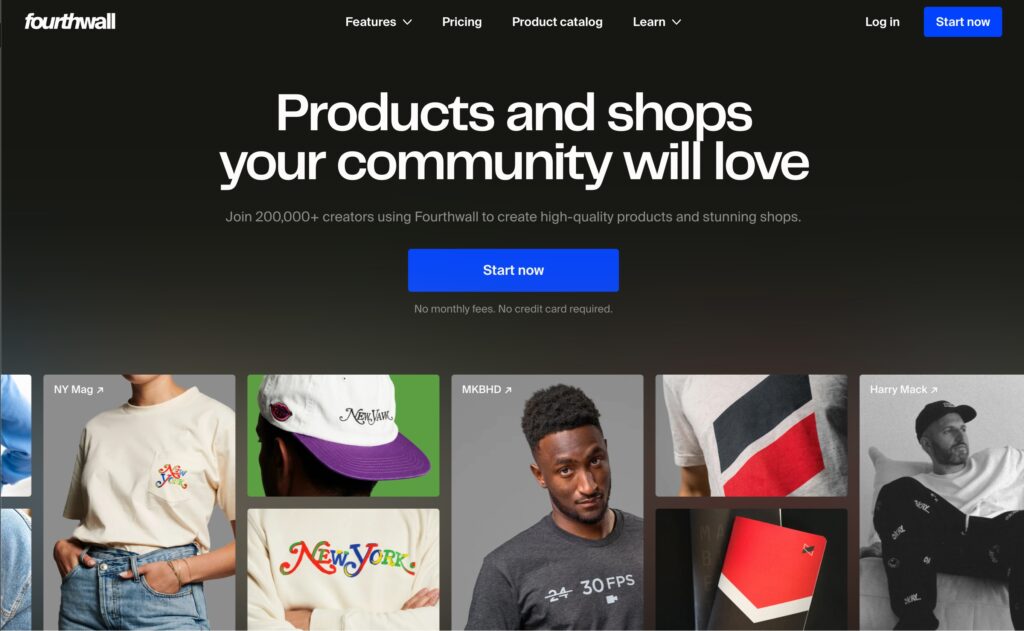
Fourthwall is an all-in-one creator commerce platform that combines print-on-demand merchandise, memberships, gifting, and a custom storefront – all designed specifically for content creators, YouTubers, streamers, and online personalities.
Unlike traditional print-on-demand services that only handle fulfilment, Fourthwall gives you everything under one roof – so no need to juggle Shopify, Patreon, and Printful separately.
Fourthwall is the best way to get a storefront up and running fast – and you could be making sales within a few hours.
It’s completely free to start, with no upfront costs or monthly fees (unless you want extra features). You can sign up by clicking the button below: (affiliate link)
Sign Up For Fourthwall(Be sure to use the link above to sign up, or you won’t get your free $20 sample credit).
Is Fourthwall Good For Creators?
Yes! Fourthwall is a premium quality, all-in-one solution for creators who want to sell print-on-demand products quickly and easily.
Here’s what makes Fourthwall a great choice for creators and artists:
Premium Quality Products
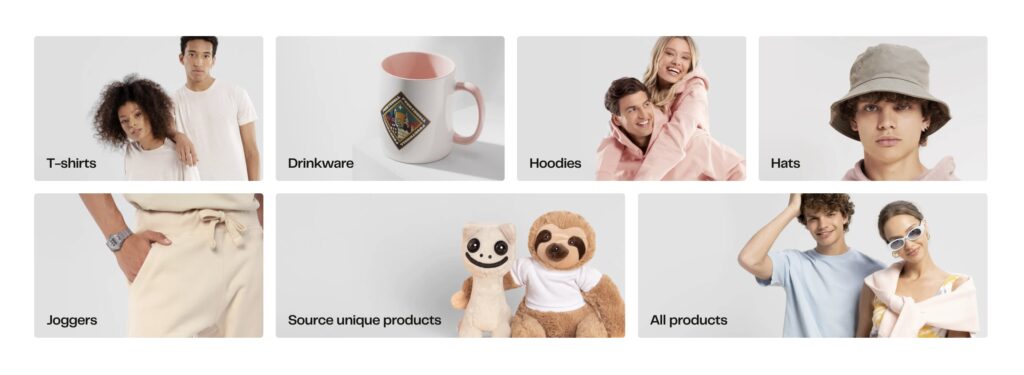
Fourthwall delivers higher quality because they’re focused on the ‘brand builders’ and creators who want streetwear-quality merch for their fans. They don’t offer as big a catalog as some fulfilment companies – but they focus on quality over quantity. They also offer unique products like custom knitwear, that you won’t find on other POD platforms.
All-In-One Platform
Unlike traditional POD services, Fourthwall gives you a complete storefront with built-in memberships, gifting features, and full customer support – all managed in one place. No need to set up Shopify, connect payment processors, or manage multiple platforms.
Zero Upfront Costs
There are no monthly fees, no setup costs, and no contracts. You only pay for products when they sell, and you keep 100% of your profit margins above the base product costs (vs. $19/m minimum with a platform like Shopify).
Multiple Revenue Streams
Beyond merchandise, Fourthwall lets you offer monthly memberships (like Patreon), receive gifts from fans, sell digital products, and even fulfill your own custom products – all through one unified store. You may not be looking for these options right now – but it’s useful to be able to offer these without paying for additional plugins (looking at you, Shopify).
Global Fulfillment Network
Fourthwall works with manufacturing and fulfillment partners in the US, UK, EU, Canada, Mexico, Australia, and Japan – ensuring fast shipping to your global audience.
How Much Do You Make on Fourthwall?
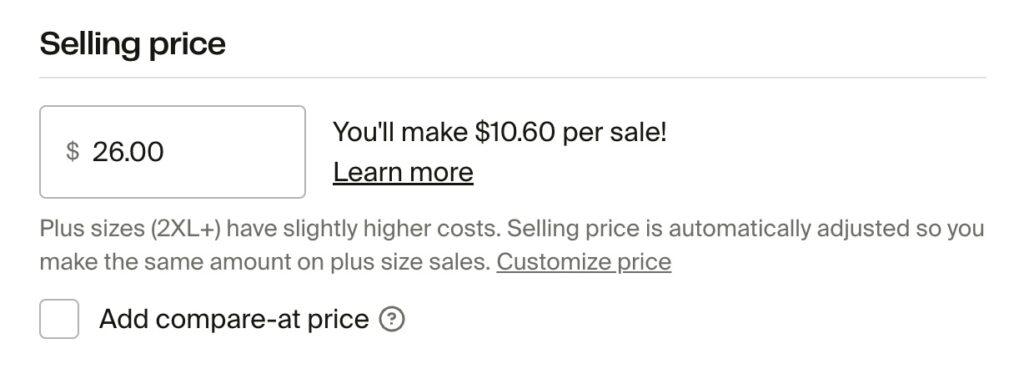
With Fourthwall, you set your own prices and keep 100% of your profit margins above the base product costs.
Here’s how it works:
If a T-shirt costs $11.75 and you sell it for $25, you keep the full $13.25 profit. If you sell it for $30, you keep $18.25. You control your margins completely.
Example Base Product Costs:
- Bella+Canvas 3001 T-Shirt: $11.75
- Comfort Colors 1717 T-Shirt: $15.40
- AS Colour Premium Oversized T-Shirt: $24.75
- AS Colour Premium Hoodie: $38.21
- White Glossy Mug: $5.95
- Stickers: From $2.29
Additional Revenue Stream Options:
- Memberships: 5% platform fee (you keep 95% of membership revenue)
- Digital Products: 5% platform fee (0% with Fourthwall Pro)
- Self-Fulfilled Products: 0% fee (you keep 100%)
Note: All sales incur standard payment processing fees of 2.9% + $0.30 (same as Shopify).
How Do Fourthwall Creators Get Paid?
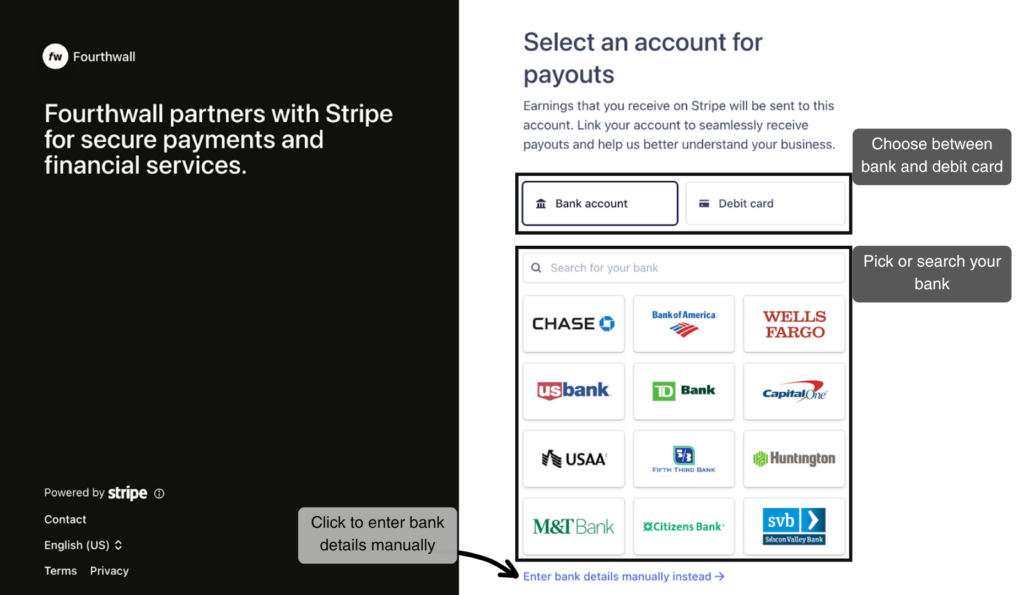
Fourthwall pays out your earnings on a rolling monthly basis for any balances higher than $25. You can choose to payout your earnings directly to a bank account or debit card. Fourthwall uses Stripe for payouts – so as long as Stripe is available in your country, you should be covered.
Your Fourthwall dashboard gives you real-time visibility into your sales, revenue, and profit margins – making it easy to track your performance.
How Does Fourthwall Compare With Other Platforms?
Fourthwall takes a different approach than traditional POD services like Printful or Printify, and membership platforms like Patreon.
vs. Printful/Printify: These are fulfilment services that require you to build your own store (usually with Shopify). Fourthwall gives you the store, fulfilment, AND additional features like memberships and gifting all in one place.
vs. Patreon: Patreon focuses on memberships but doesn’t offer integrated merchandise. Fourthwall combines both – letting fans buy merch AND subscribe to memberships in one checkout.
vs. Teespring/Spring: While also creator-focused, Fourthwall emphasizes premium quality products and offers more customization options for your storefront.
The key differentiator is that Fourthwall is purpose-built for creators who want a professional, all-in-one solution without the technical headaches of managing multiple platforms.
Is Fourthwall Legit?
Yes, Fourthwall is a legitimate platform used by over 200,000 creators and big names like MKBHD and NY Mag. The company is venture-backed and has been growing rapidly since its launch.

Fourthwall guarantees quality on all products from their catalog – if there’s a print error or quality issue, they’ll replace or refund it. They also handle customer service for questions about products, orders and refunds – so you don’t have to.
Many successful YouTubers, Twitch streamers, and content creators use Fourthwall to power their merchandise and memberships.
Things You May Not Know About Fourthwall
Tax Handling: Fourthwall operates as the “Merchant of Record,” which means they handle all sales tax compliance, nexus registration, collection, and remittance across different states and countries. You don’t have to worry about tax compliance – Fourthwall takes care of it.
Multiple Print Methods: Unlike many POD platforms that only offer DTG printing, Fourthwall supports DTG (Direct-to-Garment), DTFx (Direct-to-Film for vibrant, durable prints), embroidery, sublimation, and even screen printing for bulk orders.
Automatic Mockups: Fourthwall automatically generates professional-grade mockups of your products, so you don’t need separate mockup software or design skills.
Custom Domain: You can connect your own custom domain (like shop.yourname.com) to your Fourthwall store, making it feel like a natural extension of your brand.
No-Code Website Builder: Fourthwall’s drag-and-drop builder lets you create a professional storefront without any coding knowledge – showcase your social media, recent videos, and products all in one place.
Getting Started with Fourthwall: Step-by-Step Guide
Now that you understand what Fourthwall is and why it’s a great platform for creators – let’s walk through how to actually get started and create your first products.
I’ll cover everything from setting up your account to launching your first product, to placing a sample order.
Let’s go!
1. Setting Up Your Fourthwall Account
Getting started with Fourthwall is incredibly straightforward:
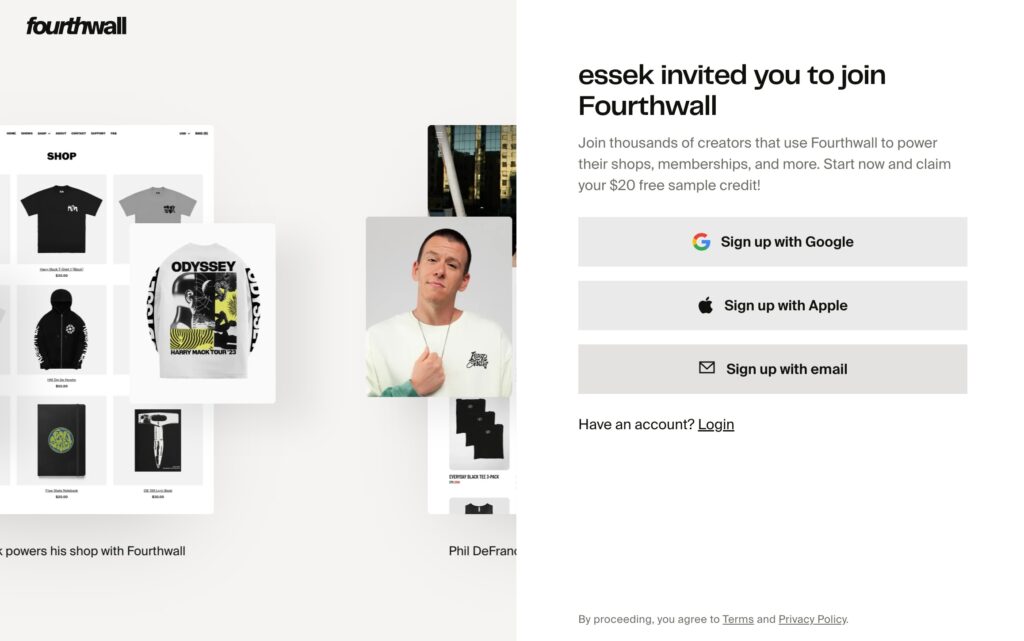
- Sign Up: Click here and then click “Get Started” to create your account:
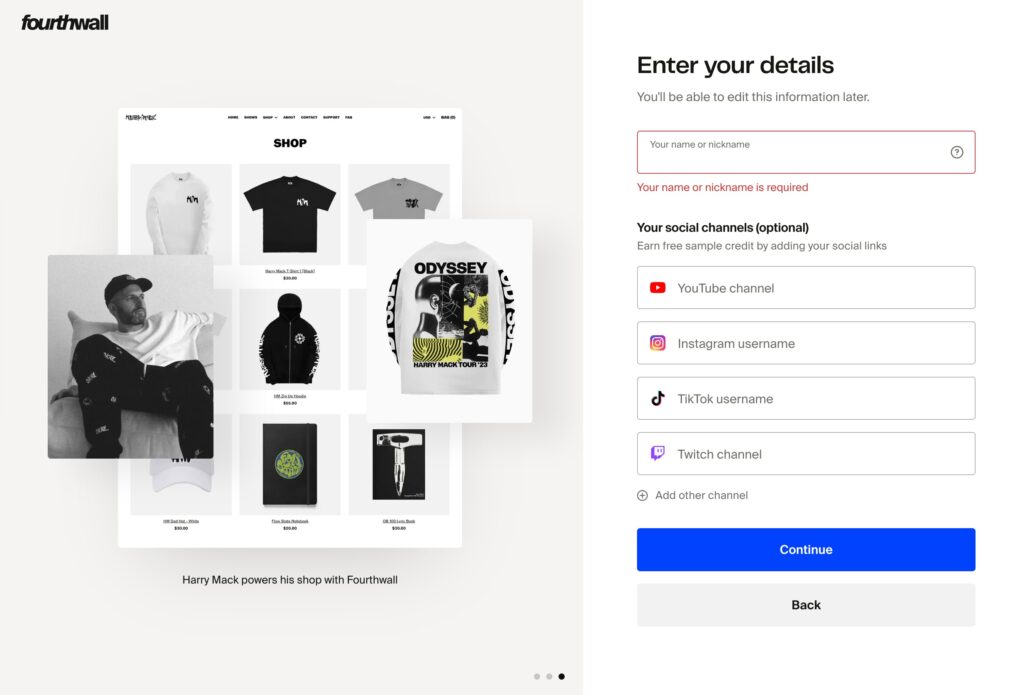
2. Enter Your Details: Go through the onboarding questions, enter a nickname (you can change this later) – and add any social channels you want to link to your store (optional).
3. That’s It – your account is setup, and you should see your Fourthwall Dashboard:
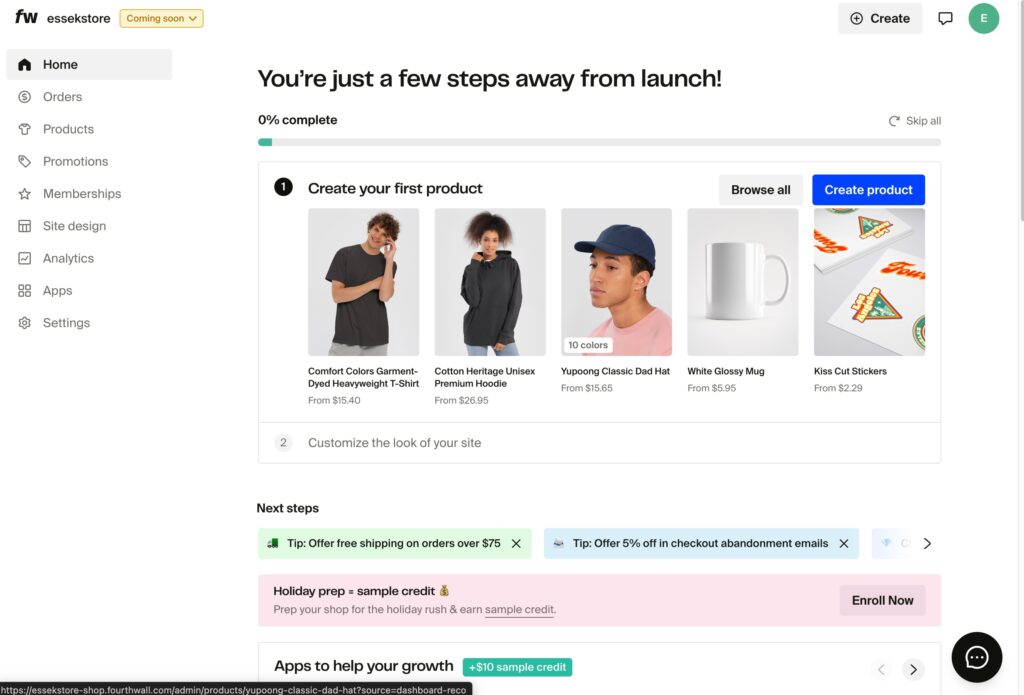
You now have a Fourthwall store, and you’re ready to add products.
2. Creating Your First Product
Once your account is set up, it’s time to create your first product.
Step 1: Browse the Product Catalog
From your dashboard, click “Create Product” and choose “Design A New Product“:
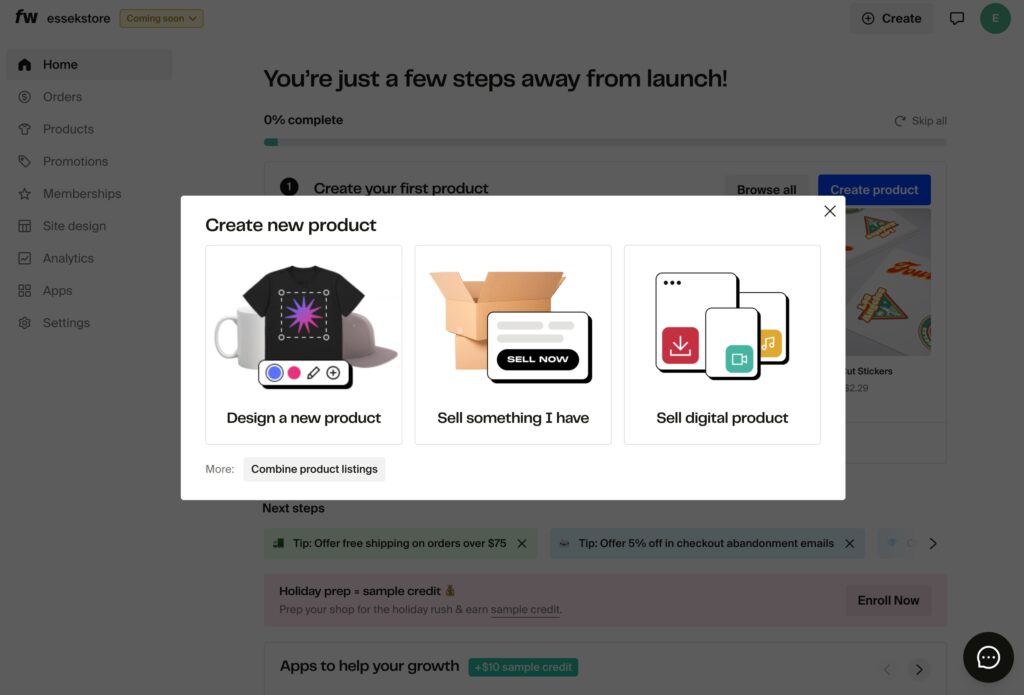
Browse Fourthwall’s catalog to choose which product you want to create. You can choose from:
- T-shirts (Bella+Canvas, Comfort Colors, AS Colour, etc.)
- Hoodies and sweatshirts
- Hats and beanies
- Drinkware (mugs, tumblers)
- Stickers and pins
- Unique items like knitwear
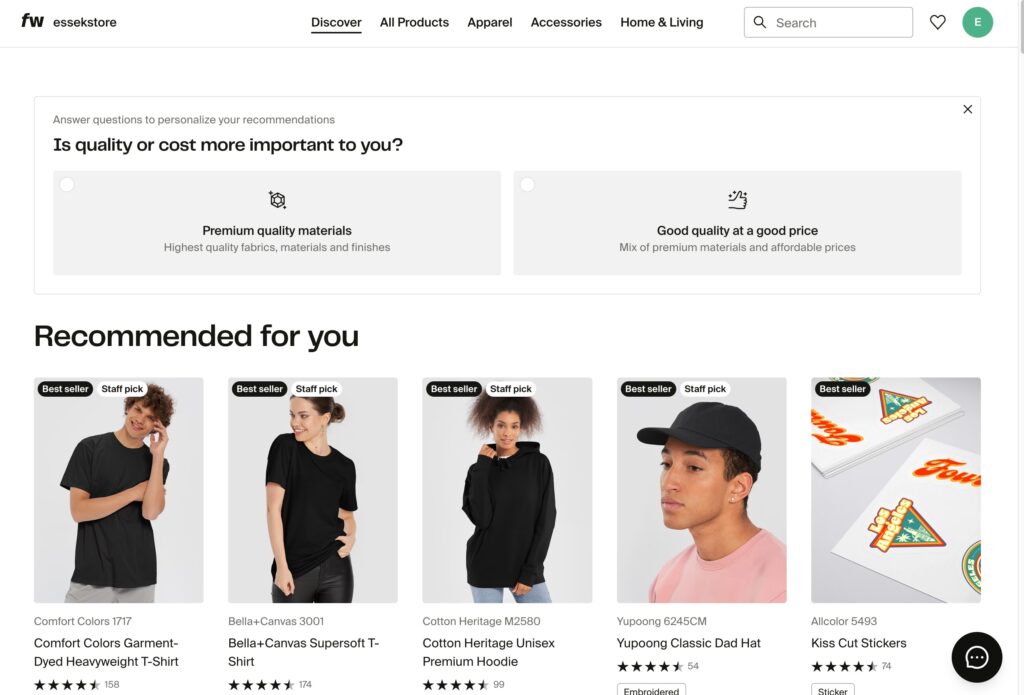
Pro Tip: Start with a popular item like the Bella+Canvas 3001 or Comfort Colors 1717 – both are best-sellers and print well.
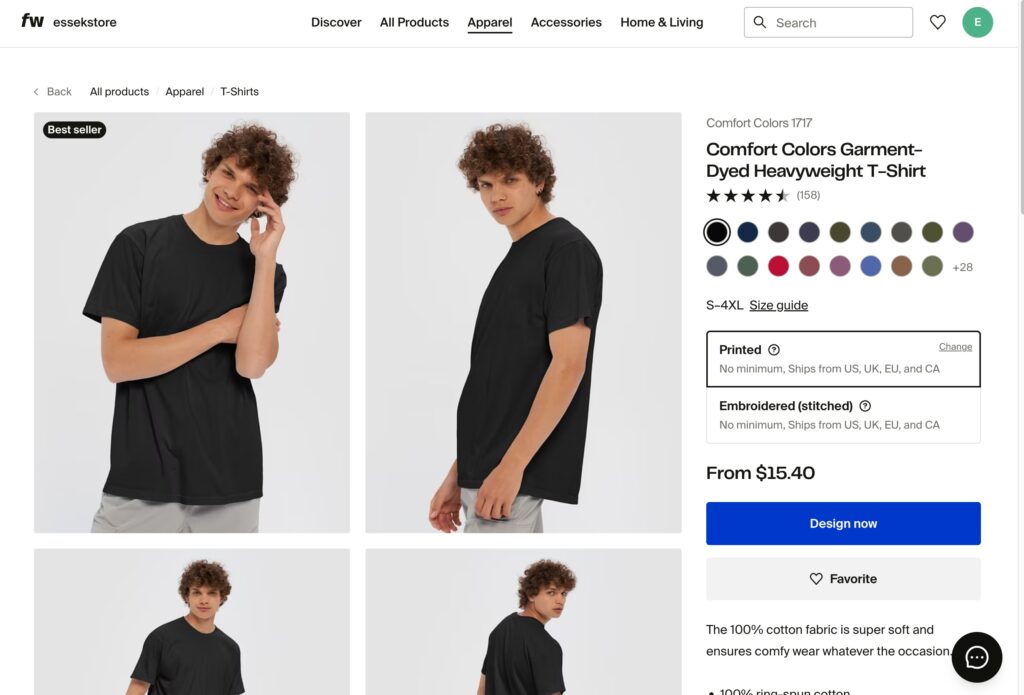
Click ‘Design Now’ on your desired product to add your design.
Step 2: Upload Your Design
Once you’ve selected a product, you’ll enter the design tool:
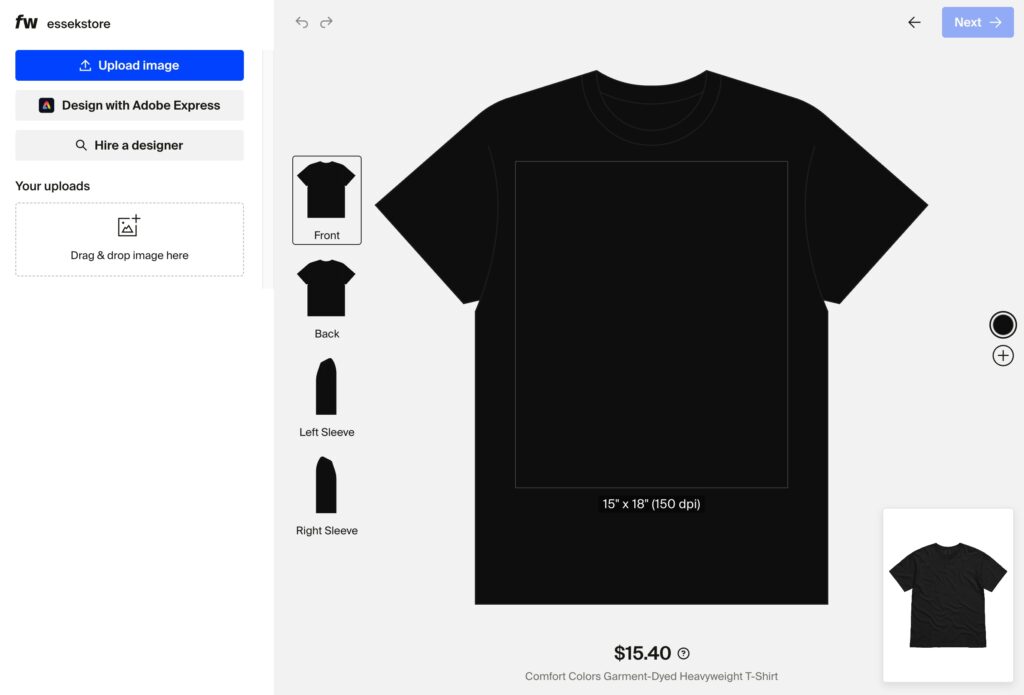
Here you can:
- Upload your artwork (PNG files with transparent backgrounds work best)
- Position your design on different areas (front, back, sleeves)
- Resize and adjust placement
- Preview on different colors
Click ‘Upload‘ – or drag and drop your artwork into the window.
Design Requirements:
- High resolution (300 DPI recommended)
- PNG format with transparent background
- Solid, well-defined shapes work best
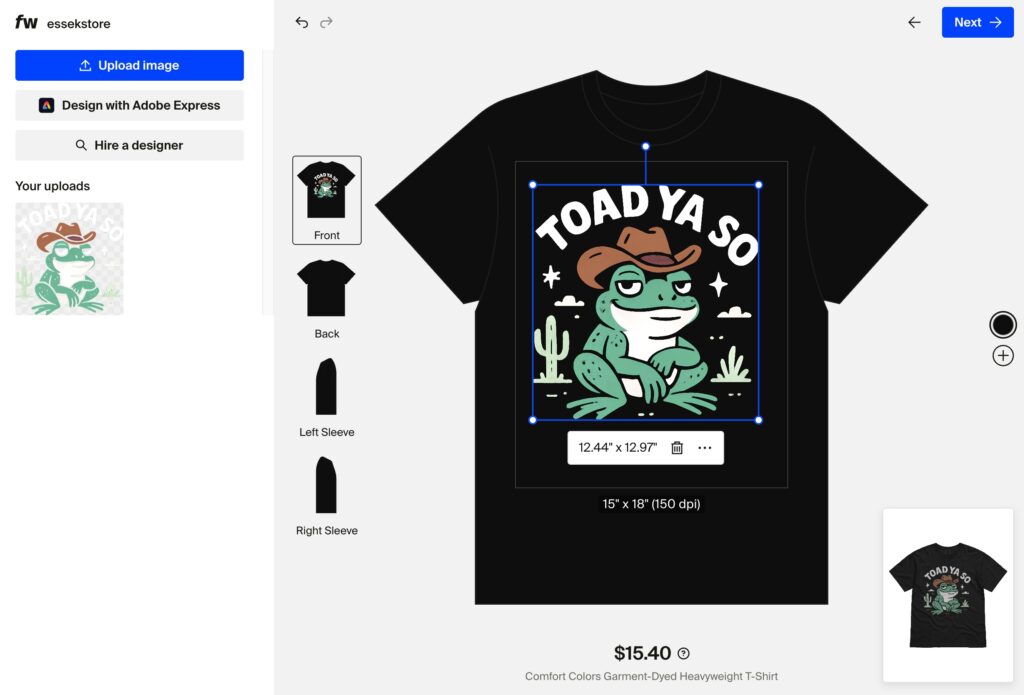
You can reposition your artwork until you’re happy with how it looks. Once happy – choose colours…
Step 3: Choose Your Colours:
Select which shirt colours you want to offer using the colour picker on the right hand side:
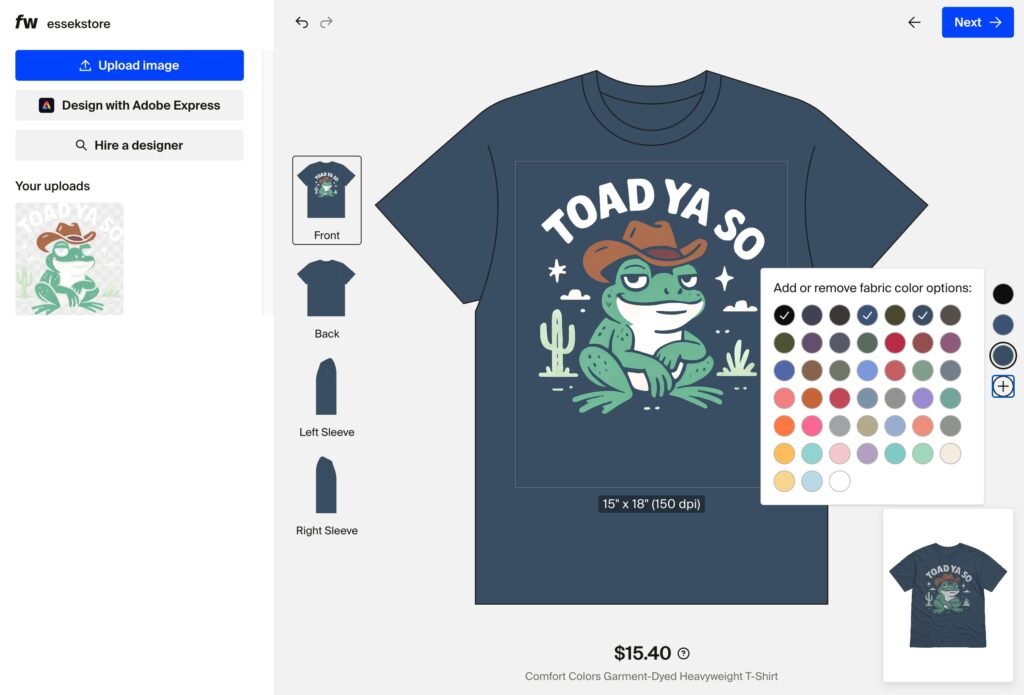
Pro Tip: Offer multiple colours to appeal to different preferences, but don’t overwhelm buyers with too many options. 2-3 colours is a good range.
Once done – click ‘Next‘ to save your product and move on to adding details.
4. Setting Your Pricing & Profit Margins
You’ll now see the Product Details page – where you can add your product name, description and set your price.
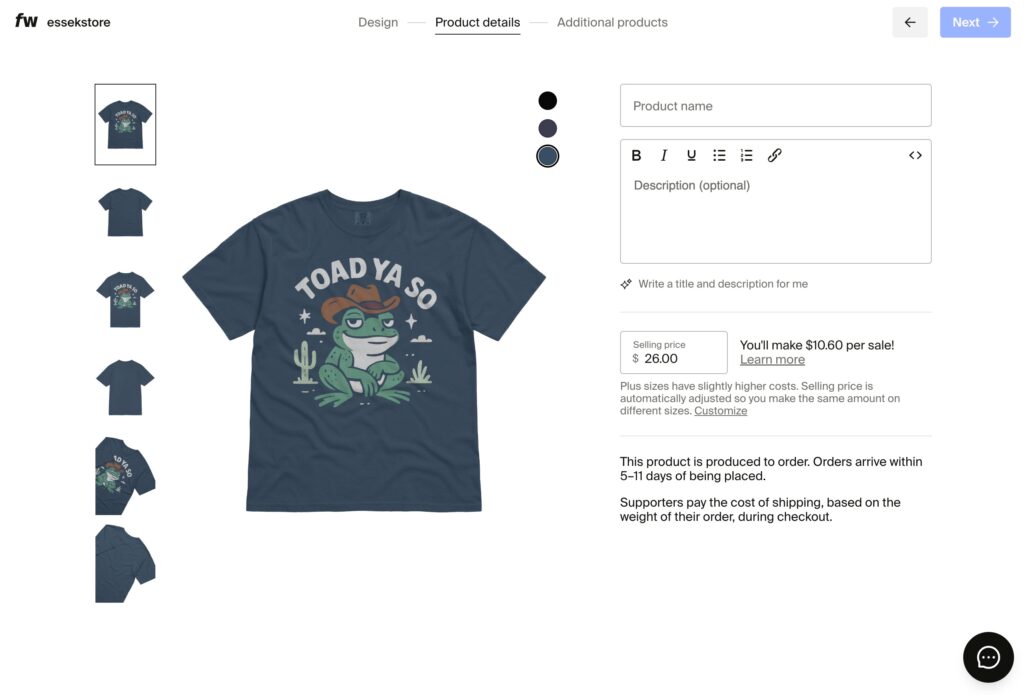
One of the best things about Fourthwall is you have complete control over your pricing. Here’s how to think about it:
The Formula:
Your Profit = Selling Price – Base Cost – Payment Processing (2.9% + $0.30)
Example Pricing Strategy:
- T-Shirt blank and printing costs: $11.75
- Sell for: $24.99
- Minus payment processing (~$1.02): $23.97
- Your profit: $12.22 per shirt
Pricing Tips:
- Research competitors: Look at what similar creators charge for their merch
- Consider perceived value: Premium designs on premium blanks can command higher prices
- Test different price points: You can adjust pricing anytime
Typical Pricing Ranges:
- Basic tees: $23-$28
- Premium tees: $28-$35
- Hoodies: $40-$55
- Hats: $22-$30
- Mugs: $14-$20
Once you’re happy with your price and details – click ‘Next’ to choose any additional products…
Additional Products
Fourthwall will automatically preview your artwork on additional products. You can choose to quickly and easily add these from this page, or just ‘skip and publish now‘ if you don’t want to offer these yet.
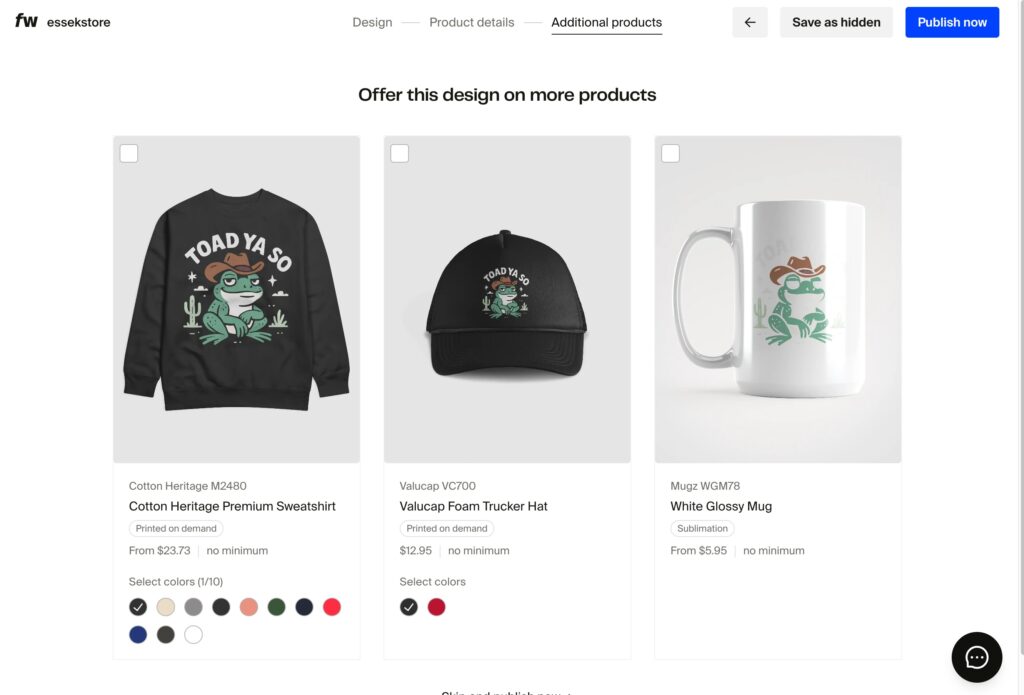
Click ‘Publish Now‘ to go ahead and launch your first product.
And that’s it – your product is now public, and you can order your first sample to test quality.
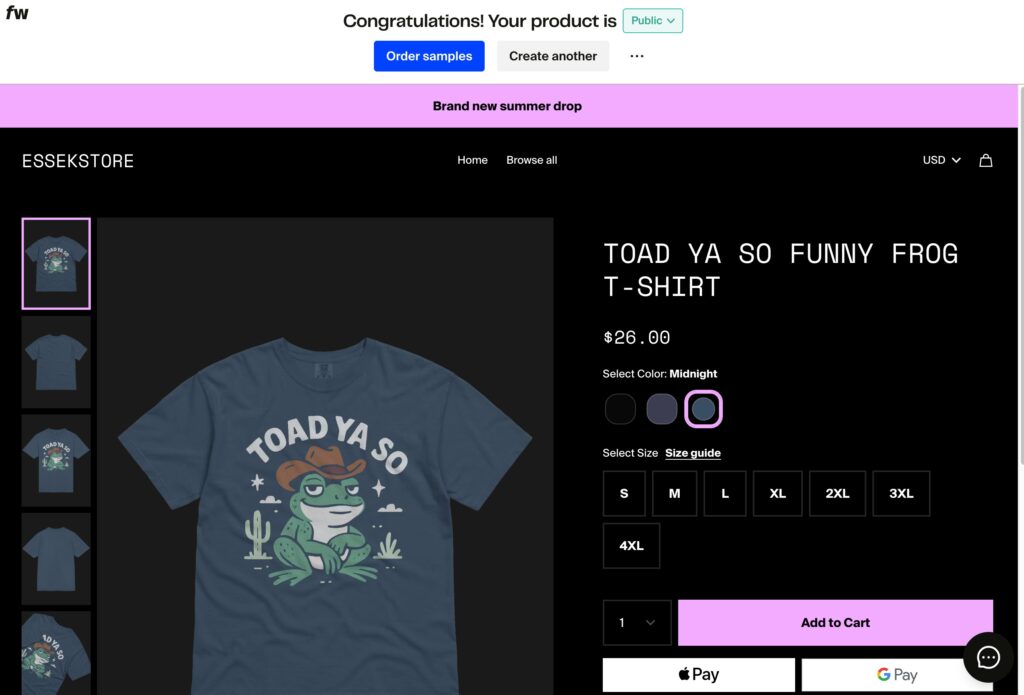
(Don’t worry if you don’t like how your store looks at this point – you can always customise everything about that later).
Now click ‘Order Samples‘ to get started…
5. Ordering Samples to Test Quality
Before you launch your products publicly, I strongly recommend ordering samples. Here’s why:
- Verify print quality: See how your design actually looks on the product
- Check sizing: Different brands fit differently
- Test colours: Colours on screen don’t always match the printed result
- Create content: Use samples for product photos, promotional content and giveaways
How to Order Samples:
- Click on ‘Order Samples’ from your store page, or via the individual product page (‘Settings’ -> ‘Order Samples’)
- Select the variant you want to order (the colour and size):
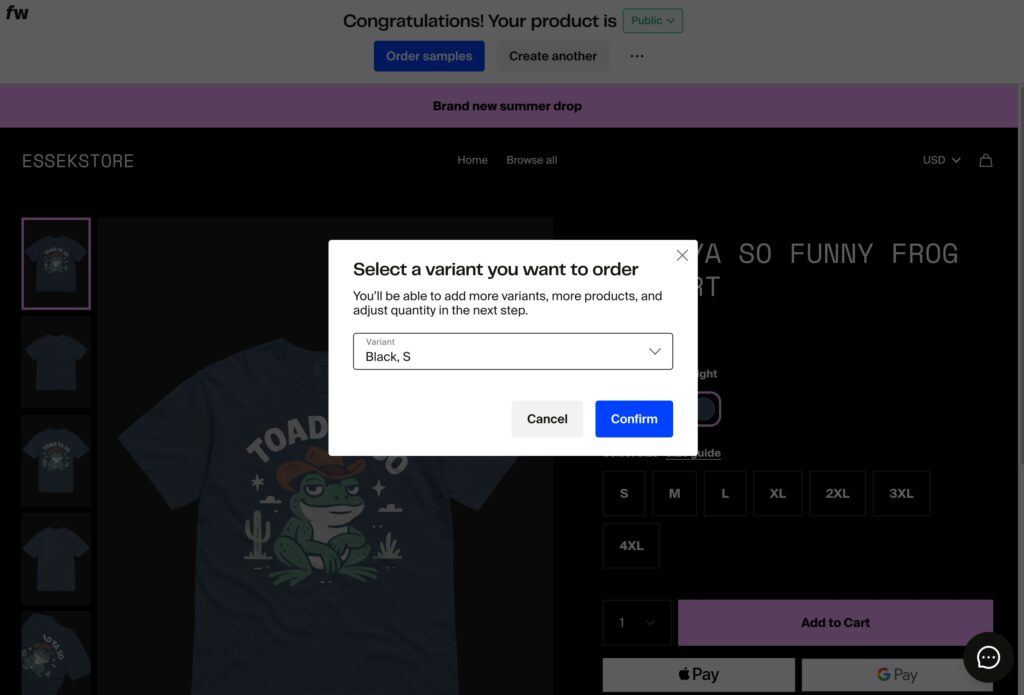
You’ll now be on the ‘Order Samples‘ page – where you can see a summary of your order.
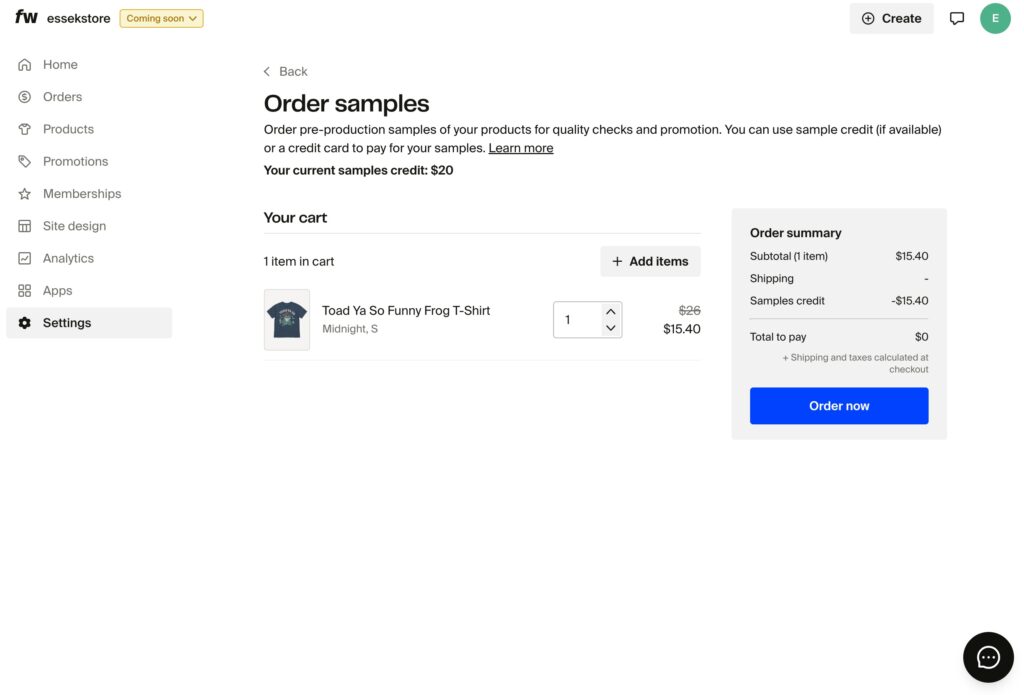
If you’ve signed up via this link – you should have $20 in sample credit ready to use for this order.
Click ‘Order now‘ to finalise your order on your store’s checkout page:
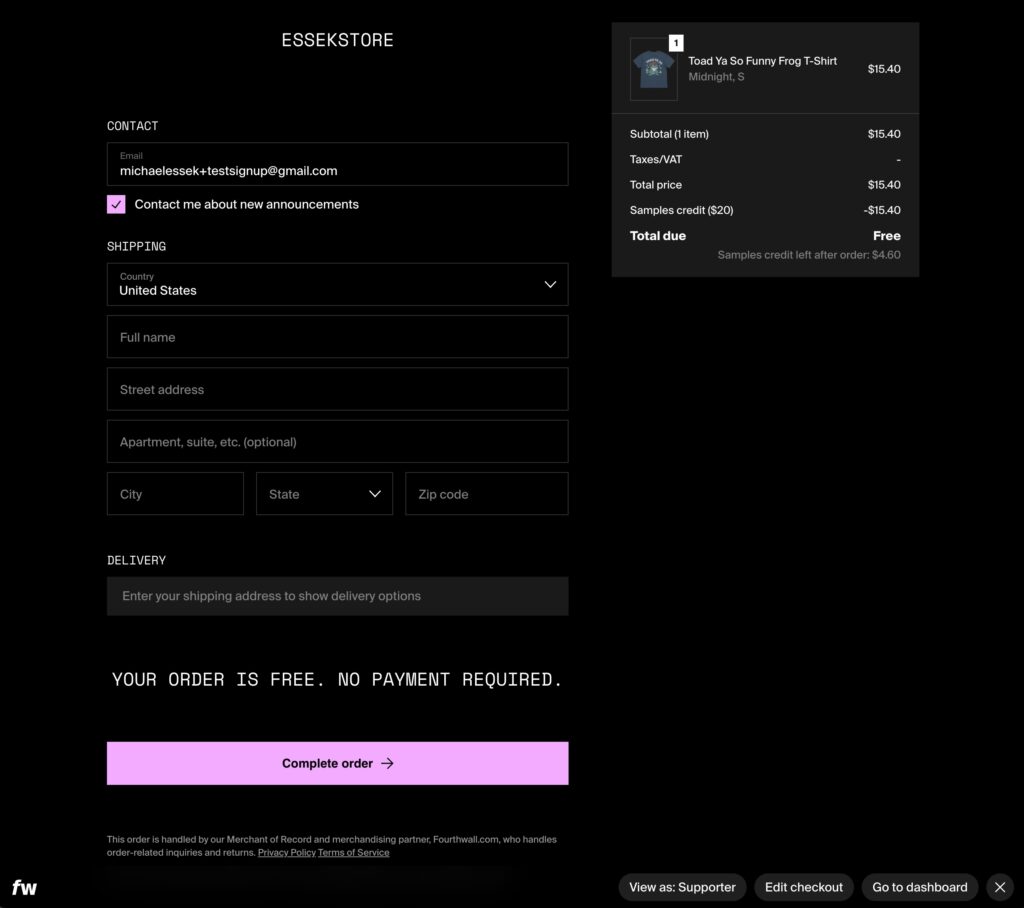
This page is exactly what your customers will see when they checkout.
Add your details, and hit ‘Complete Order‘ to finish your sample order.
As you can see above – your order should be free – no payment required! (If you don’t have sample credit that covers your order, make sure you’ve used this link to create your account).
Congratulations – you just placed your first Fourthwall order! You can track your order’s progress under your ‘Orders‘ tab.
Final Thoughts
Fourthwall offers creators a unique opportunity to build a complete store without the technical complexity of managing multiple platforms.
Start with a few quality products, test them yourself, and gradually expand your catalog as you learn what your audience likes.
If you haven’t already, sign up for Fourthwall today and start building your creator commerce business – with $20 in sample credit:
Start Selling On FourthwallHave questions about getting started with Fourthwall? Leave a comment below and I’ll do my best to help!




Hi! Can I sell the same designs on Fourthwall, Redbubble, and TeePublic?
Also, thank you for sharing such an incredible amount of knowledge. I really appreciate all the time and effort you put into your videos—they’ve been incredibly helpful. 😊
Hi Agnieszka – yes you can!